Luck Mobile Site
Using Luck on your phone in the UK: how the mobile site works, what to check when a page will not load, common error codes and a 60-second fix routine.
The short answer: You reach Luck on your phone through the browser, so a recent version of Safari or Chrome and a steady signal are all you need. If a page stalls, check the status page first, then work through the 60-second routine below.
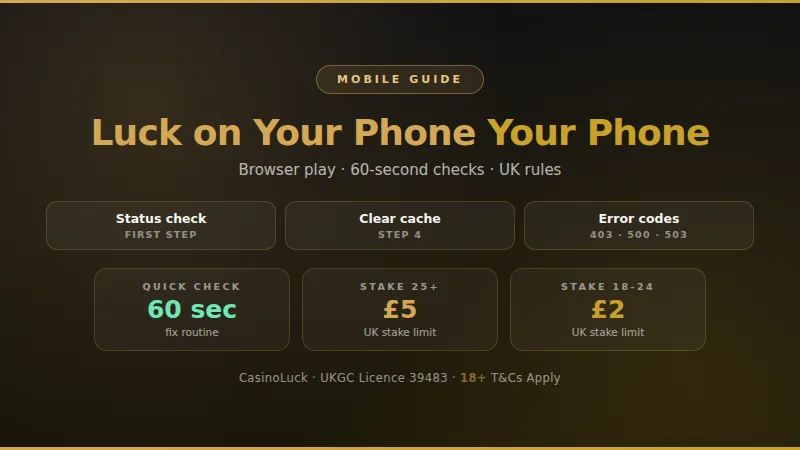
Is the Luck mobile site working right now?
Most mobile problems come from the phone, the browser or the signal rather than the casino itself, so the quickest way to know where you stand is to test in a set order. Start with the status page, which covers whether CasinoLuck is reachable. Then run the short panel below on your own handset. It takes under a minute and tells you whether to wait, reload or change your connection.
Tick what you can see on your phone: page loads, sign in works, cashier opens, games start. The result points you to the next step.
Keeping your own log of mobile problems
A short personal log turns a vague complaint into something support can act on. Jot the details down the moment something goes wrong, because error messages disappear as soon as you reload. A screenshot beats a description every time, and it takes two seconds on any phone.
- Time
- Date and hour
- Device
- Phone model
- Connection
- Wi-Fi or data
- Page
- Where it failed
- Message
- Exact wording
- Screenshot
- Saved image
If the same fault repeats at the same time of day, or only on one network, you have already narrowed down the cause before contacting anyone. Keep entries short and factual, and add the outcome once things work again.
What happens to your stake if the connection drops
Losing signal mid-spin or mid-hand is the moment most players worry about. Online casino games are run on the provider's servers, not on your phone, so a round that has started is generally completed there even if your screen freezes. What you see on the handset is only a window onto that round.
- Do not tap the spin or bet button again straight away. Reconnect first and look at what the game shows.
- Open the game history or the transaction list in your account to see whether the round was settled.
- Check your balance before and after reconnecting, and note both figures in your log.
- If a round looks unfinished or the balance seems wrong, take a screenshot and contact support with the time and game name.
Fixes by symptom
Page will not load
Switch between Wi-Fi and mobile data, then reload. If it still hangs, close the tab completely and open the site again from a fresh one.
Sign in keeps failing
Check for a typo, caps lock and autofill errors. If the password is right but access is refused, read our guide on account locks.
Game stuck on loading
Close the game tab, wait ten seconds and relaunch it. Close other apps that use data, as a busy phone often loads games slowly.
Screen looks broken
Pictures missing or buttons overlapping usually mean old cached files. Clear the browser cache for the site, then reload the page.
Cashier will not open
Turn off any content blocker for the site, allow pop-ups for the payment window, and try again. Details of methods are on the payments page.
Sound or video lags
Live tables use more data than slots. Move closer to your router, pause downloads in the background, or lower the video quality if the game allows.
Common error codes on a phone
Browsers show standard web codes when a page fails. They are not specific to any casino, but they tell you quickly whether the fault is on your side or the server side. Write the number into your log before you reload.
| Code | Meaning | First try |
|---|---|---|
| 400 | Bad request | Clear cache |
| 401 | Not signed in | Log in again |
| 403 | Access refused | Retry later |
| 404 | Page missing | Use the menu |
| 408 | Timed out | Better signal |
| 500 | Server fault | Wait, retry |
| 502 | Bad gateway | Wait, retry |
| 503 | Busy or down | Wait, retry |
Codes starting with 4 mostly point to something on your side, such as an old cache, a lapsed session or a weak signal. Codes starting with 5 point to the server, where waiting a few minutes is the right move. If a 403 appears only on one network, try another connection and see whether it clears.
The 60-second diagnostic routine
-
1
Check the status page
Open the status page and see whether a problem is already reported.
-
2
Test another site
Load any other website. If that fails too, the problem is your connection.
-
3
Switch network
Move from Wi-Fi to mobile data or the other way round, then reload.
-
4
Clear the cache
Clear cached files for the site in your browser settings and reopen it.
-
5
Update the browser
Install the latest version of your browser and restart the phone if it is old.
-
6
Note and report
If it still fails, screenshot the message, log the time and contact support.
Work through the steps in order and stop as soon as the site loads. Most players find the fault by step three, and the log you have kept makes the last step quick.
Wi-Fi or mobile data: which suits you
Neither connection is always better. Home Wi-Fi is steady but can drop at the edge of your router's range, while mobile data follows you around but swings with the local signal. Choose by what you plan to play.
| Connection | Strength | Watch for |
|---|---|---|
| Home Wi-Fi | Steady speed | Weak corners |
| 4G or 5G | Goes anywhere | Signal swings |
| Public Wi-Fi | Free | Slow, shared |
For live tables a steady connection matters most, so home Wi-Fi is the safest choice. For a few casual spins, mobile data is usually fine. Avoid public networks for signing in or making payments.
Signing in, paying and playing from your phone
Everything you do in the browser on a computer you can do on a phone: register, deposit, claim an offer and play. If you are new, the sign-up guide walks through account creation, and the minimum deposit page covers what you need to get started. Offers are explained on the welcome bonus page and jackpot games on the jackpots page.
Card payments
Debit card only
Slot stake, age 25+
Up to £5
Slot stake, age 18-24
Up to £2
Withdrawal timings
See withdrawal guide
For card payments in the UK, choose a debit card or another method listed in the cashier. For timings after you cash out, read the withdrawal times guide. Bonus terms such as wagering are covered in our wagering requirements explainer.
Playing safely on a phone
A phone is always in your pocket, which makes it easy to play for longer than planned. Set a deposit limit and a session reminder before you start, and keep them in place. Put your phone down when a session ends rather than leaving the game open in another tab.
Use the limit and time-out tools in your account before you play, not after a bad run.
Register with GAMSTOP if you want to block all UK-licensed gambling sites at once.
BeGambleAware and GamCare offer free, confidential help if play stops feeling like fun.
Never play while tired, upset or on a train where you may lose signal at a critical moment.
Luck mobile site questions
Do I need to download anything to play on my phone?
Which browser works best?
Why does a game freeze on my phone but work on a computer?
Is my bet lost if my signal drops during a round?
How do I know if the problem is on the casino's side?
Which cards can I use to deposit from my phone?
What are the stake limits on slots?
Keep reading
CasinoLuck payment methods
Nine rails, the £10 floor and why a deposit gets declined.
CasinoLuck withdrawal times
Method-by-method timings and what actually causes a hold-up.
CasinoLuck minimum deposit
The £10 floor and whether starting small is worth it.
Is CasinoLuck down?
If the cashier will not load at all, start here.
Written and checked by
CasinoLuck Review Desk
Independent UK casino analysts
We cover UKGC-licensed casinos for a UK audience. Every figure on this site (licence number, wagering cap, deposit floor, withdrawal window) is checked against the operator's own terms and the Gambling Commission public register before it goes up, and re-checked on the schedule set out on our About page.
Independent site. Not operated by or affiliated with CasinoLuck or Aspire Global International LTD. We earn commission on sign-ups made through links on this page - it does not change what we write. Spotted something out of date? Tell us and we will correct it.